Creating a webhook to intercept a Pix and call an API
With Woovi you can create webhooks to be notified when a Pix payment is made. Today there are two ways to create them: through the platform or through the API.
In this tutorial we describe how to create a webhook that notifies you when a new Pix is received and sends it to a registered API.
To create a webhook through the platform, follow the steps below:
Step 1 - Settings
Go to the Admin Menu and look for API/Plugins.

Click Novo Webhook (New Webhook).

After clicking, the screen to create a new webhook will open:
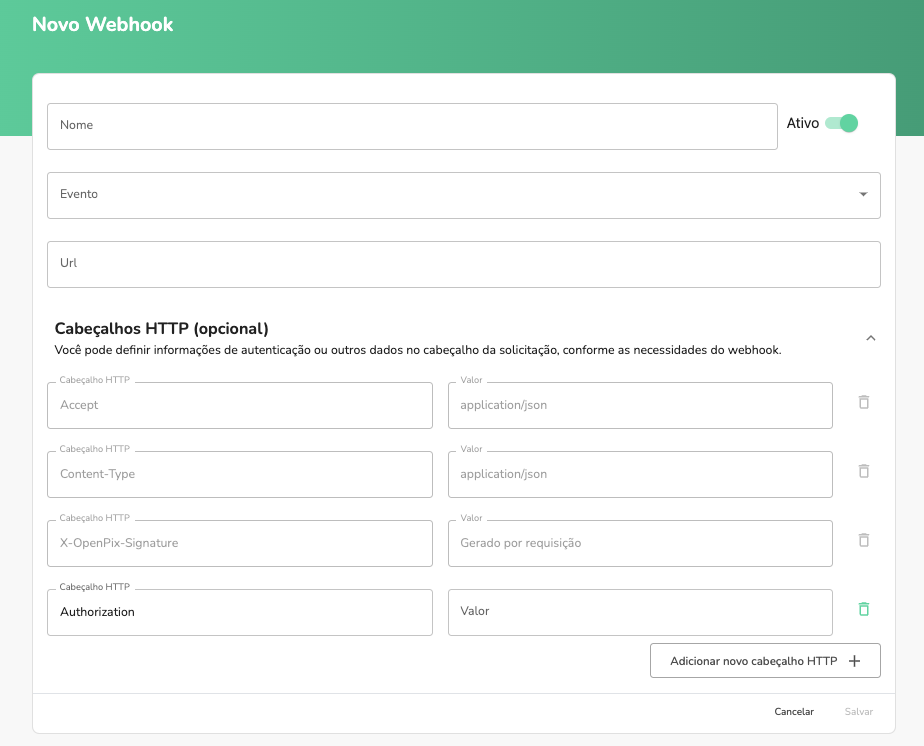
Fields:
- Name - name of the webhook.
- Active - whether the webhook is active or inactive.
- Event - event to listen to (example: Pix transaction received).
- URL - the endpoint the webhook will call.
- Note: our webhook always makes a
POSTrequest to your endpoint.
- Note: our webhook always makes a
- Action - there are two types of action: call API and send email. Depending on which you choose, the required parameter fields will be shown.
Action
When you choose an action type, you must provide the parameters required for that action.
- API
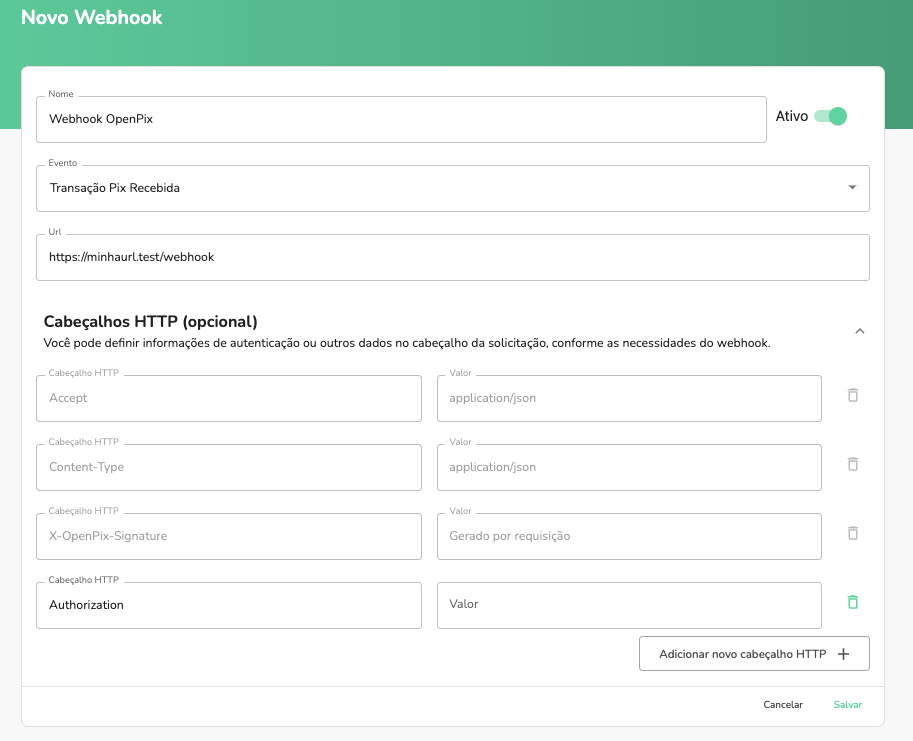
Fields:
- url: required; must be a valid URL that is available for a test call when saving.
- authorization: optional
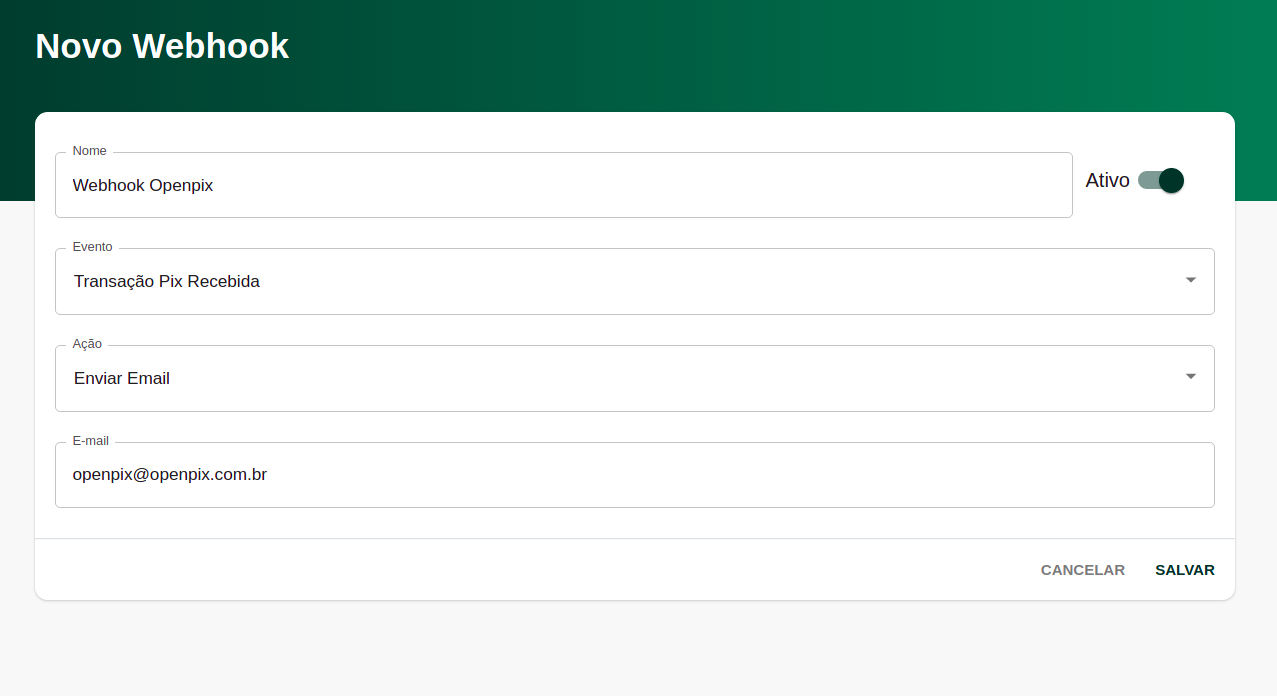
Fields:
- email: required