How to make Payments?
To make Payments from your company, follow the steps below:
1. Enable Payment Permissions on the Account
- Go to
Contas(Accounts) via the side menu - Click
Detalhes da Conta(Account Details) on the account you want to make payments from - Click the
Ajustes(Settings) tab - In the
Pagamentos(Payments) section, enable thePermitir que a conta possa realizar pagamentos(Allow the account to make payments) option

2. Request a Payment
- Go to
Saques e Pagamentos(Withdrawals and Payments) via the side menu - Click
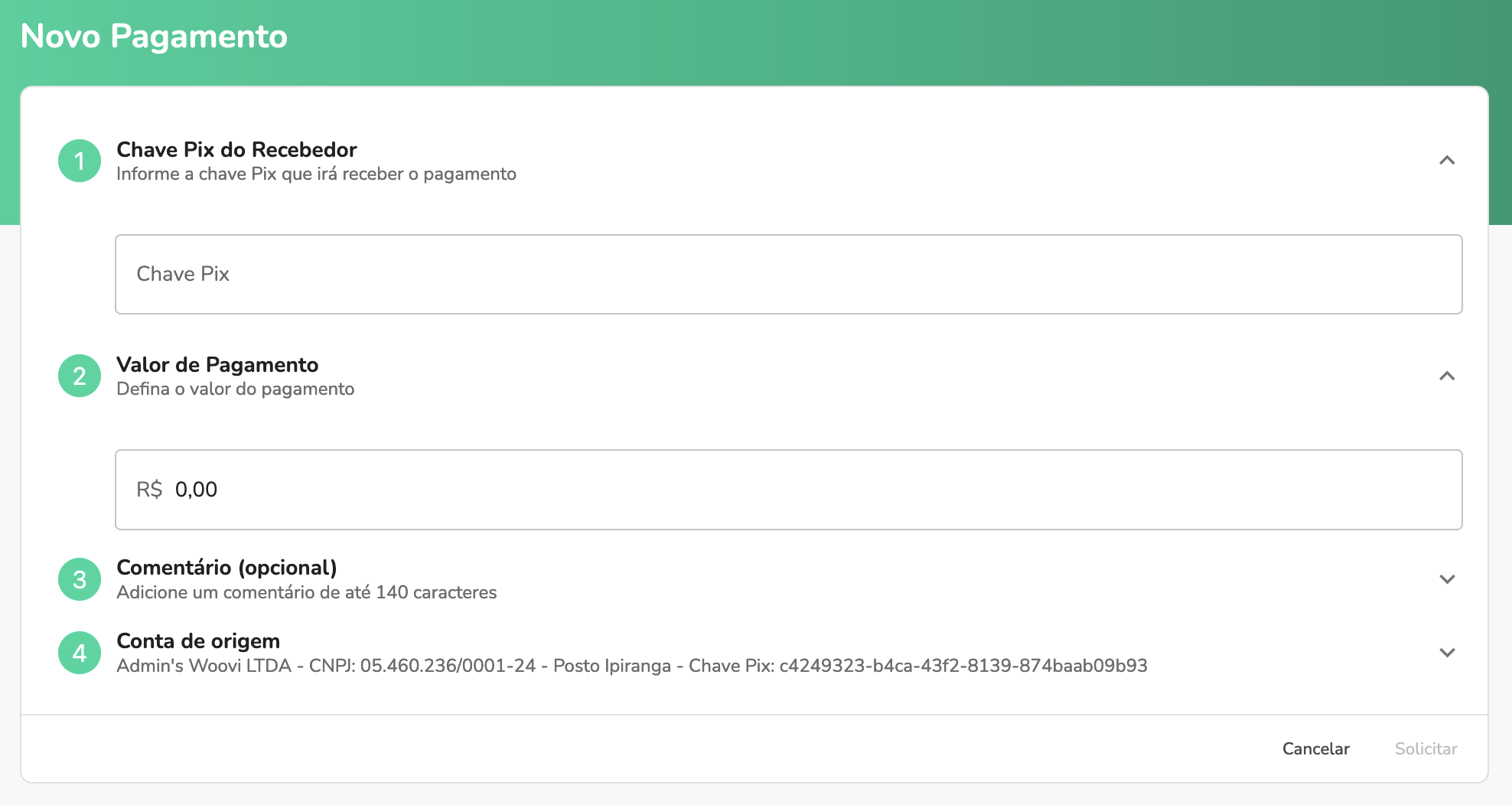
Solicitar Pagamento(Request Payment) - Fill in the fields
| Field | Description |
|---|---|
| Chave Pix do Recebedor (Recipient's Pix key) | Pix key that will receive the payment |
| Valor de Pagamento (Payment amount) | total payment amount |
| Comentário (Comment) | optional comment sent along with the payment |
| Conta de origem (Source account) | source account that will make the payment |
- Click
Solicitar(Request)
3. Approve a Payment
- Go to
Saques e Pagamentos(Withdrawals and Payments) via the side menu - Click the
Solicitações de Pagamentos(Payment Requests) tab - Click the request to be approved
- Click
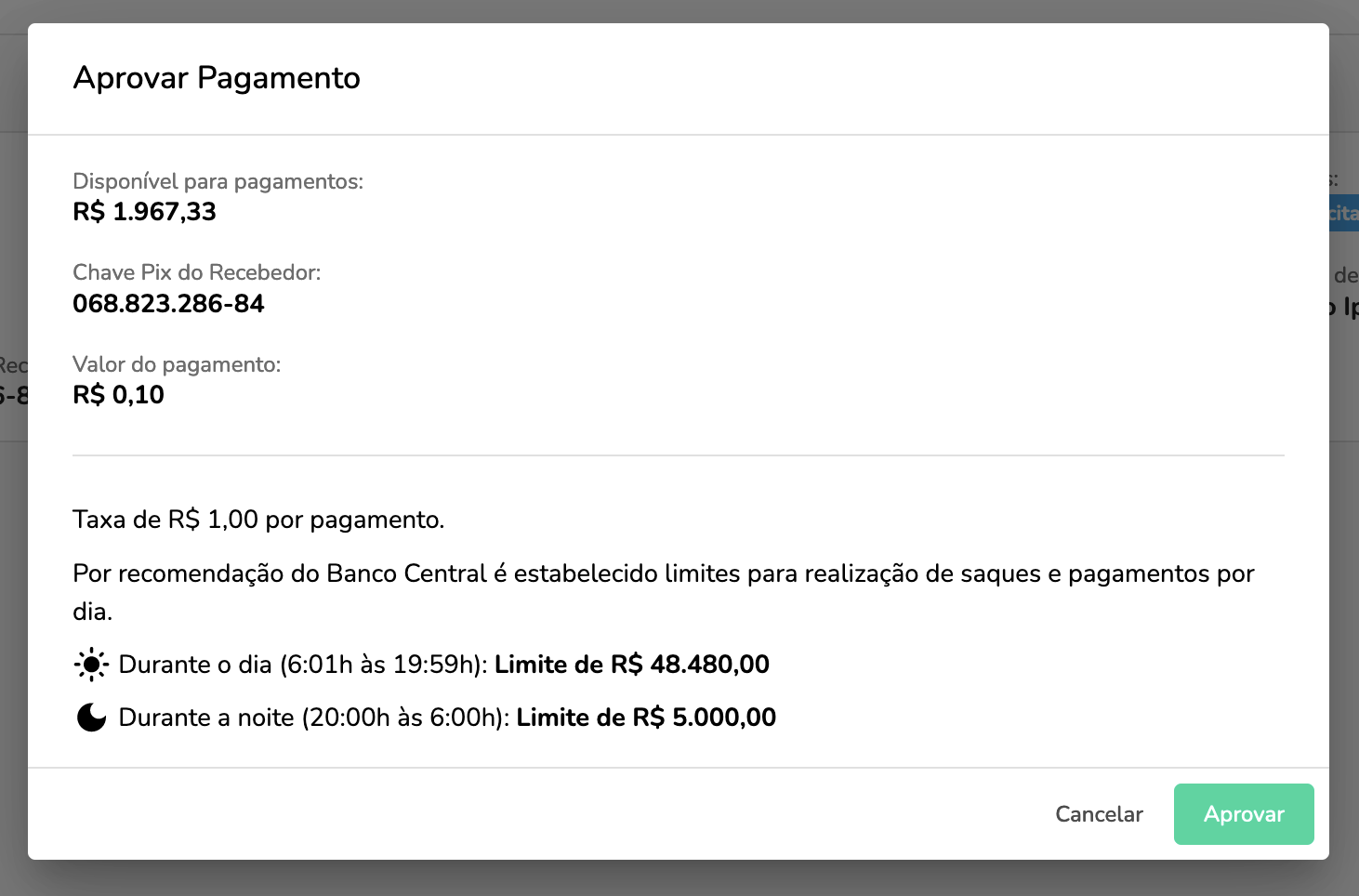
Aprovar Pagamento(Approve Payment) - Check the information provided
- Click
Aprovar(Approve)
Insufficient balance when approving payments via the Platform
If you try to approve a payment via the platform without enough balance, a modal will be shown with the following information:
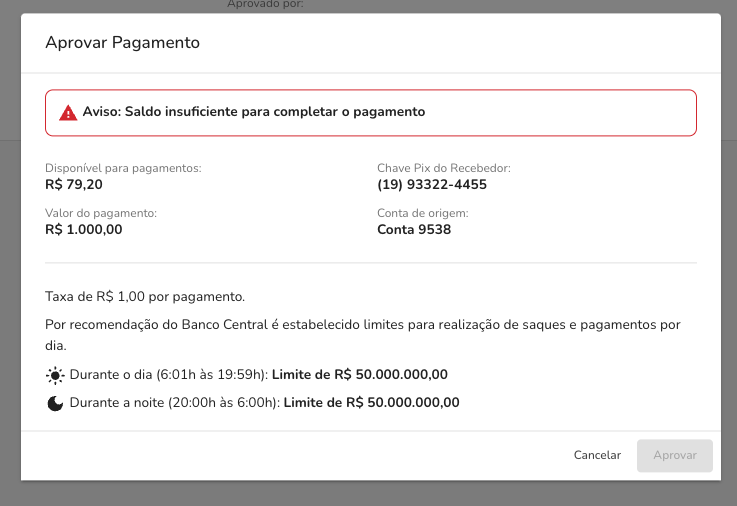
On the platform, the payment will remain in the requested status, and you can approve it once there is enough balance.