Virtual Account
What is the virtual account?
The virtual account works as a transactional account; it makes it easier to create charges, settle Pix payments and use the platform's integrations.
Through this virtual account we generate a random Pix key in your company's name; this key is used in all charges on the platform.
Why do I need to activate a virtual account?
Large banks and fintechs process dynamic Pix charges in different ways. To normalize and simplify the whole charging process, we created our own virtual account.
All balance generated by the virtual account is sent to your company's CNPJ Pix key, and consequently to the bank account that Pix key is linked to.
How do I open a virtual account?
On the platform, open the Contas (Accounts) menu

Click Criar Conta Agora (Create Account Now).
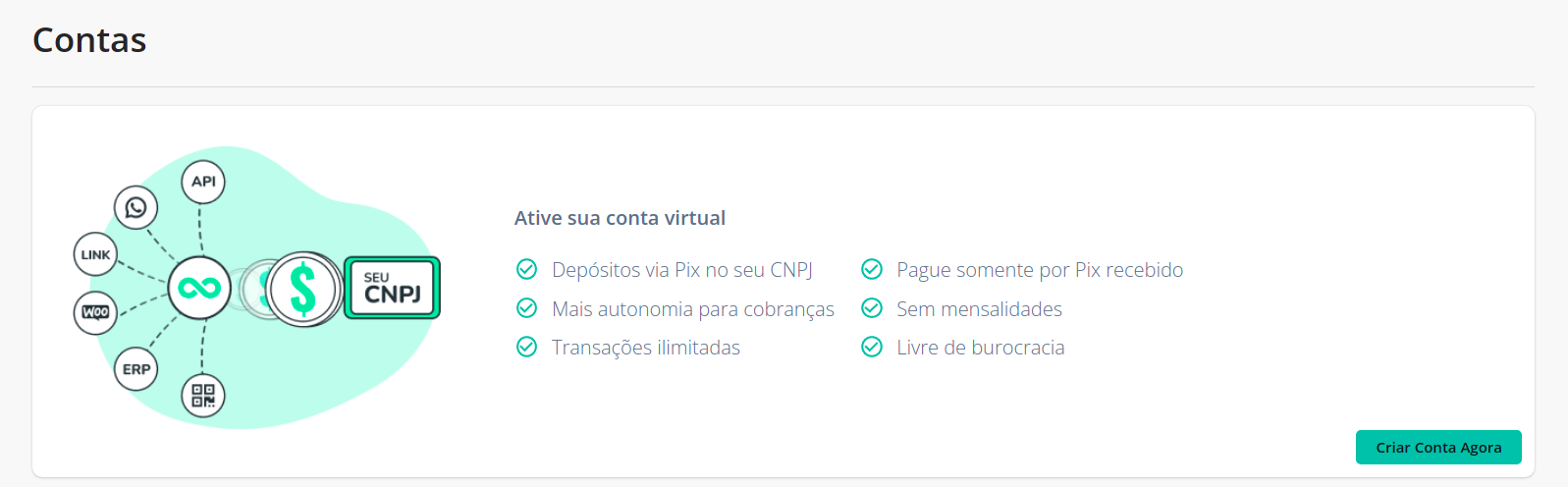
You will be redirected to the virtual account activation page.
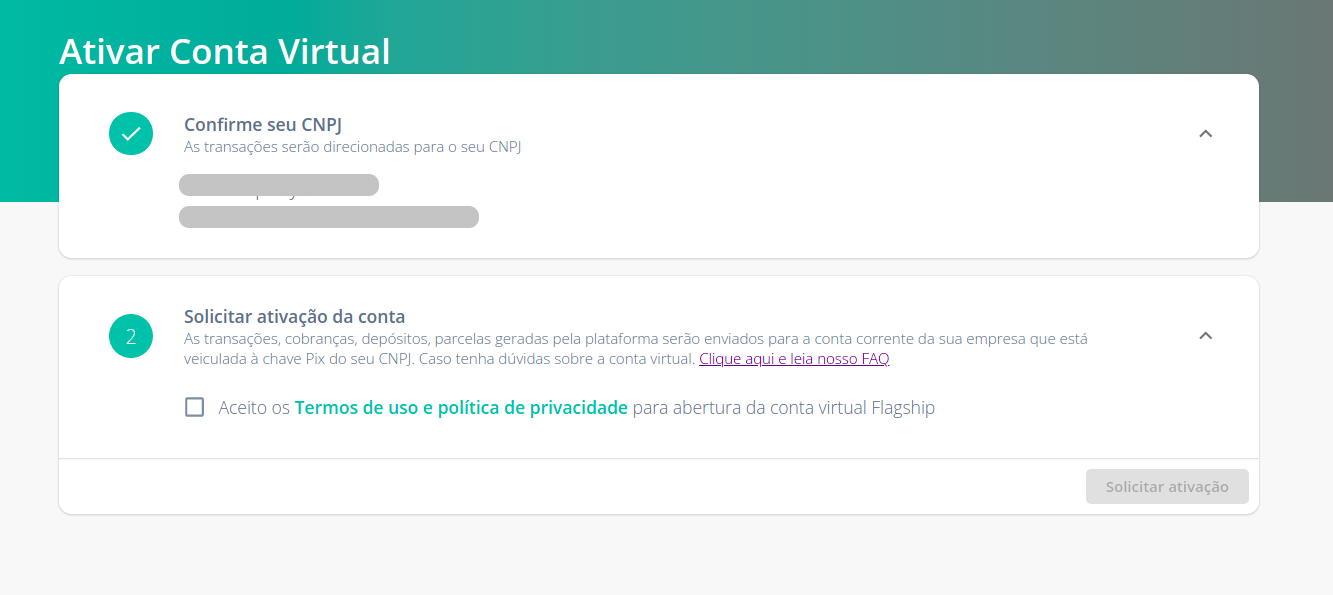
Just accept the virtual account Terms and Conditions and click Solicitar a ativação (Request activation).
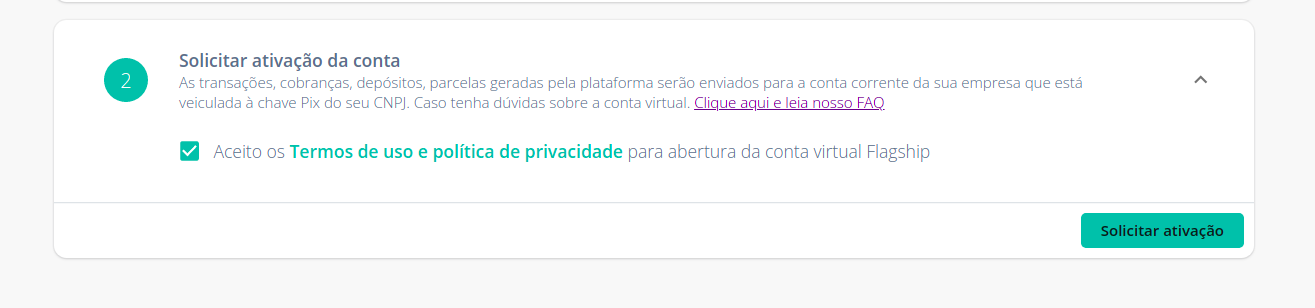
Within 48 hours we will verify your data and open the virtual account.
What are the virtual account fees?
Integrated Plan:
| Item | Value |
|---|---|
| Standard Pix | 0.8% per Pix received (minimum fee of R$ 0.50 and maximum of R$ 5.00) |
| Withdrawal | R$ 1.00 per withdrawal (withdrawals of R$ 500.00 or more are free) |
| Monthly fee | Free |
| Refund | Free |
| Partial refund | Free |
Advanced Plan:
If your operation has a high volume of transactions, contact our team to define a custom plan.
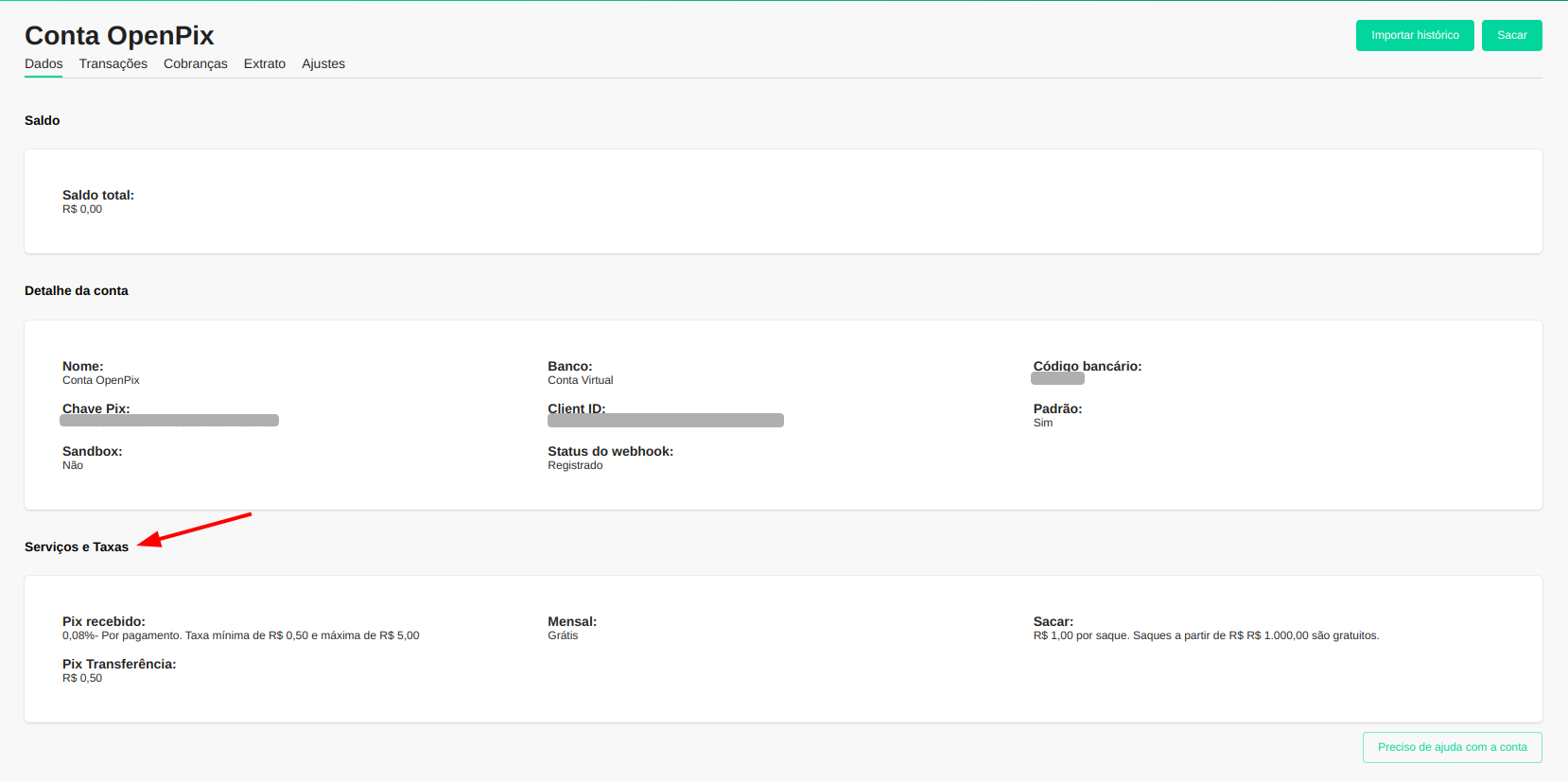
Where can I check the fees of my virtual account?
On the platform, open the Contas (Accounts) menu
Select the Woovi Account.

On the Detalhes da Conta (Account Details) page you can see the Taxas (Fees) applied to your account.