Configuring WooCommerce Openpix with NextMove
Integrating Woovi with NextMove
- Install the Woovi Plugin on your WooCommerce instance
- Configure the WooCommerce Plugin here
- In the NextMove plugin, go to
Settings>Edit/rulesof theThank Youpage
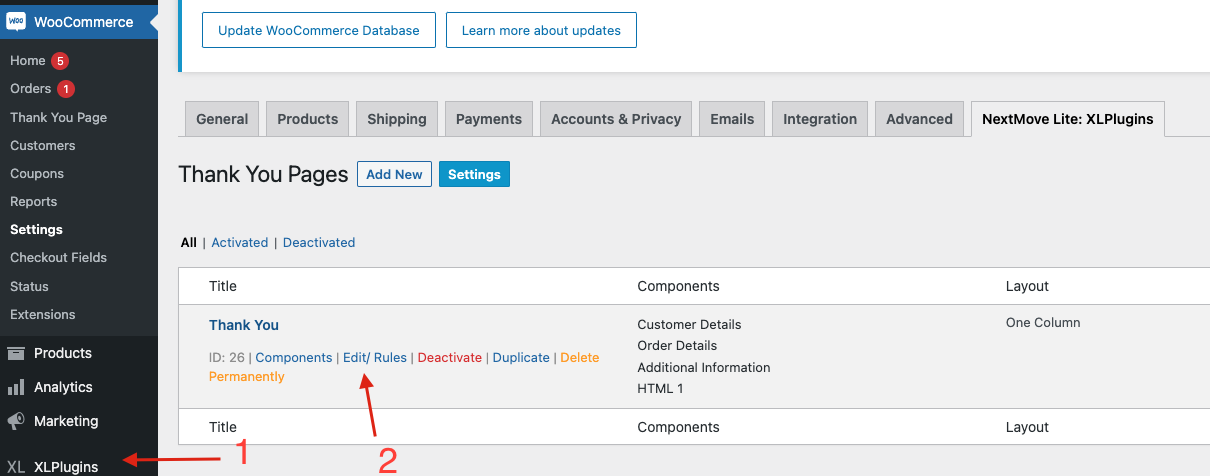
-
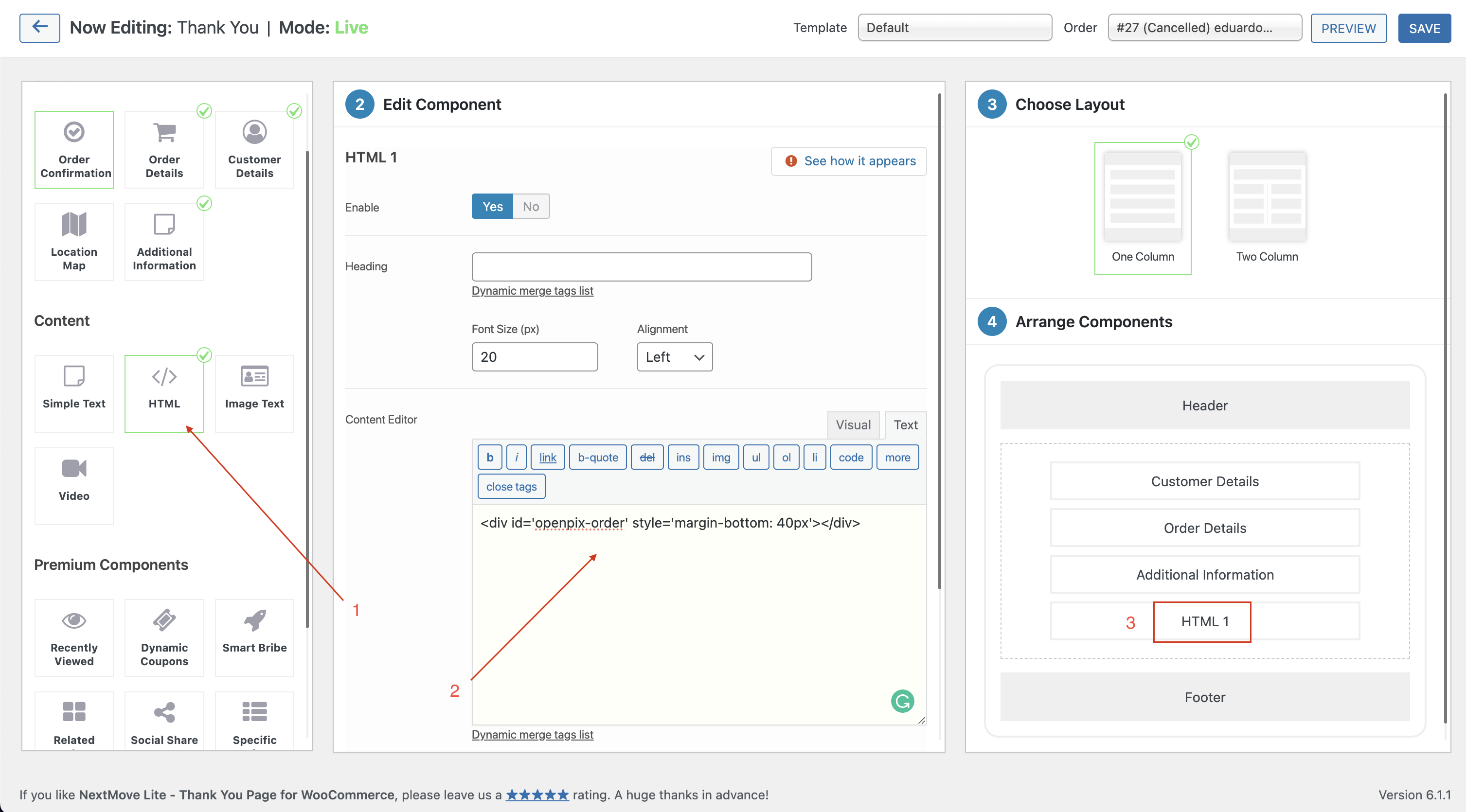
On the edit page, click
Manage Components -
On the component edit page, click
HTMLand add the following code
<div id='openpix-order' style='margin-bottom: 40px'></div>
- Create a charge using Woovi and check that the QR code is displayed