How to select an account when creating a charge
1 - In the charge creation form, go to the Destino do Pagamento (Payment Destination) step
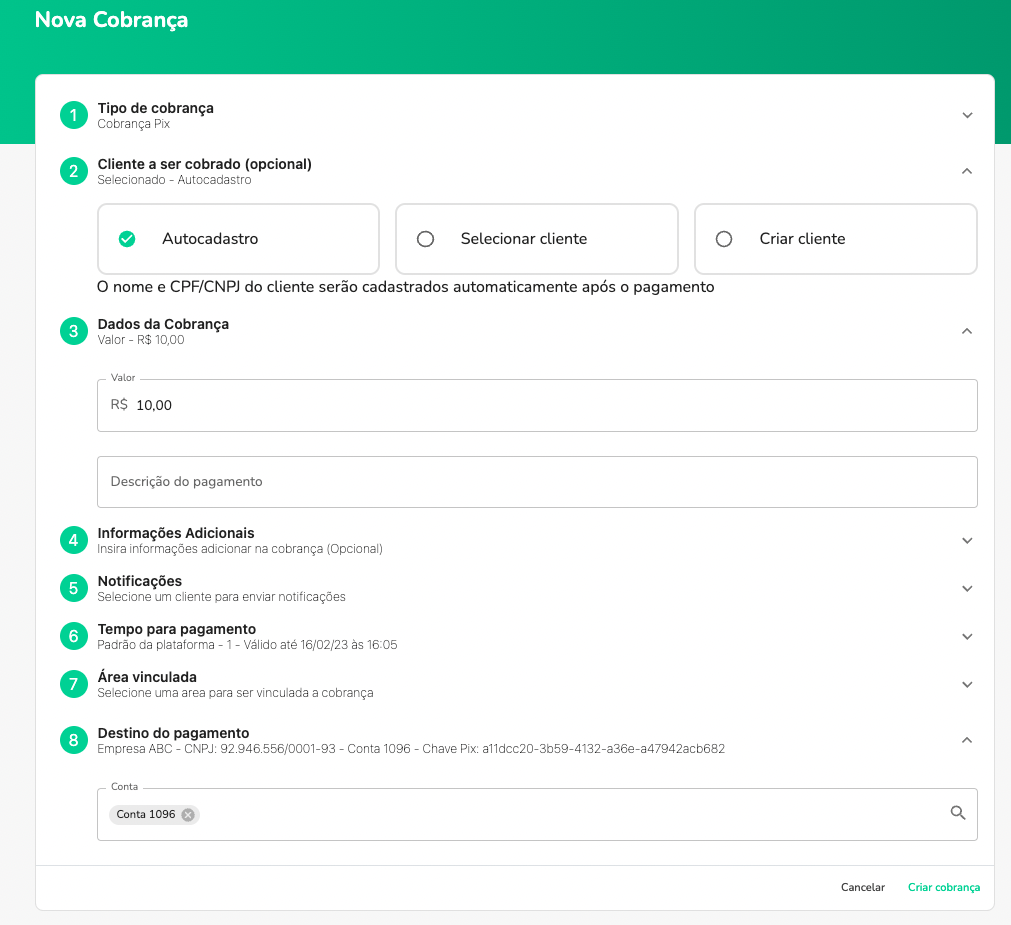
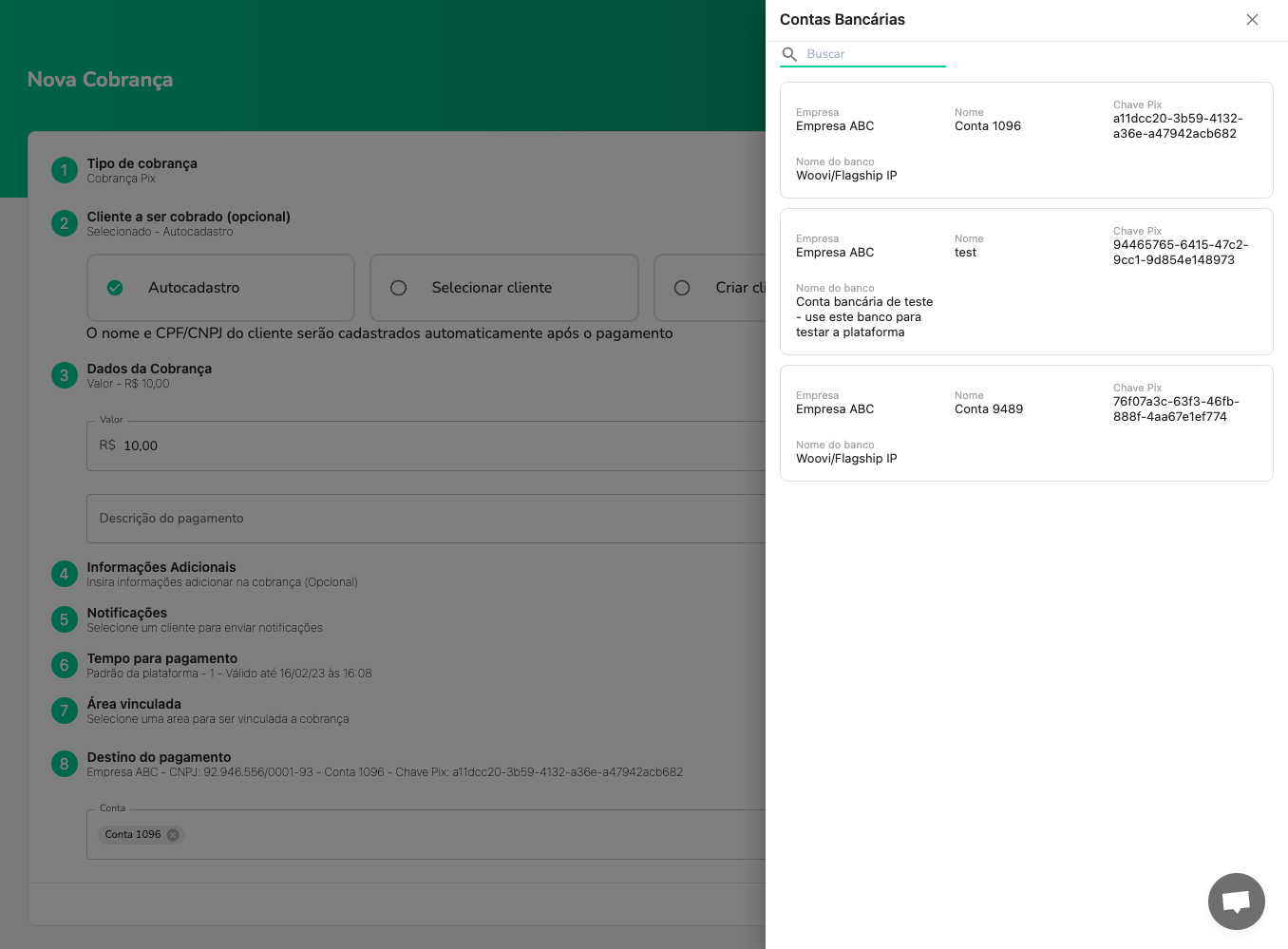
2 - Open the collapsible, click the account field, and the account search drawer will open; select or search for the account you want to use for the charge
info
- Account selection only appears for customers who have more than one virtual account.
- When this charge is paid, its amount will appear in the statement of the selected account.